Sample PDF charging report
See what the auto-generated report looks like before entering your data.
Here's what the report looks like
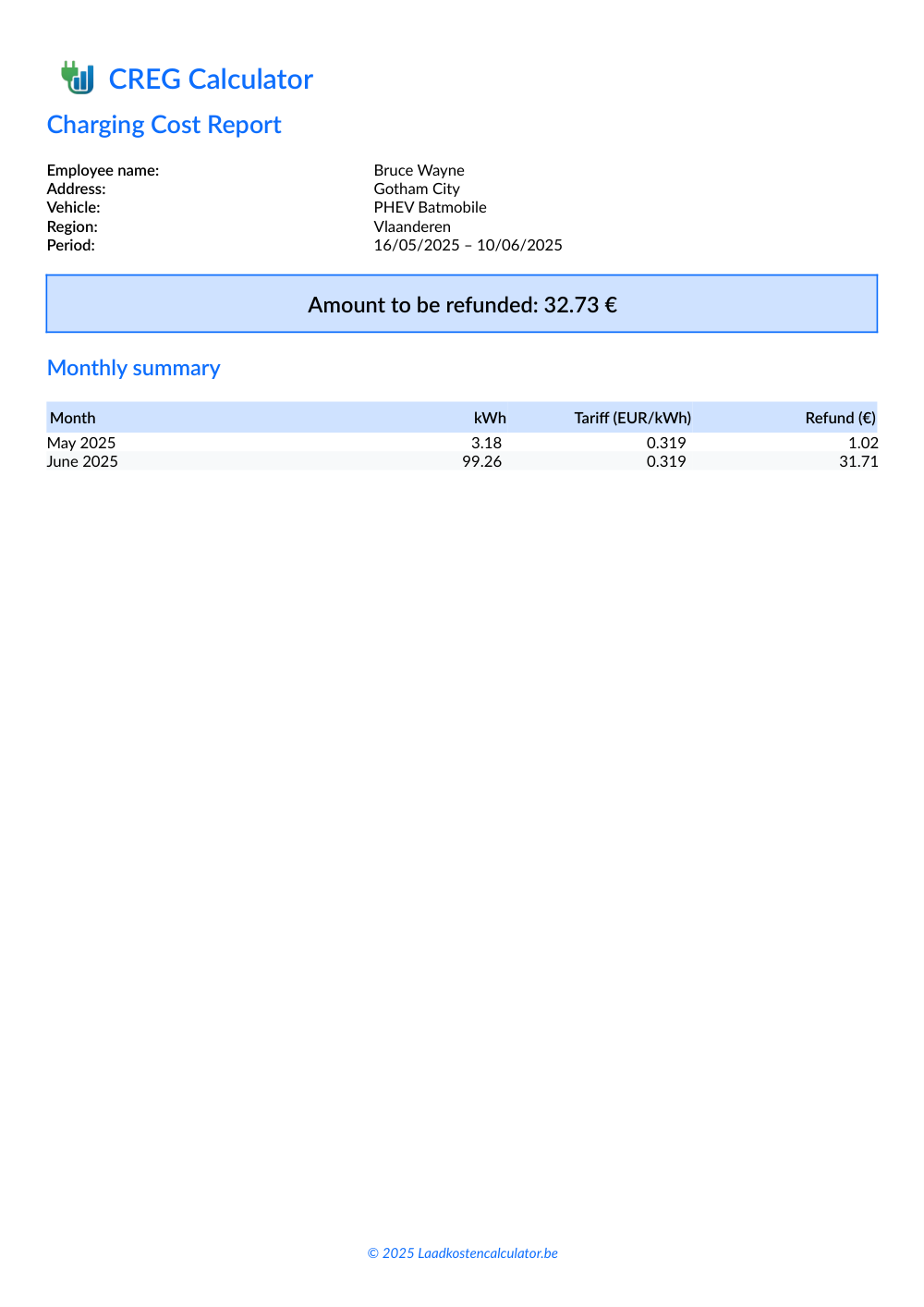
Page 1 — profile data, period and monthly overview
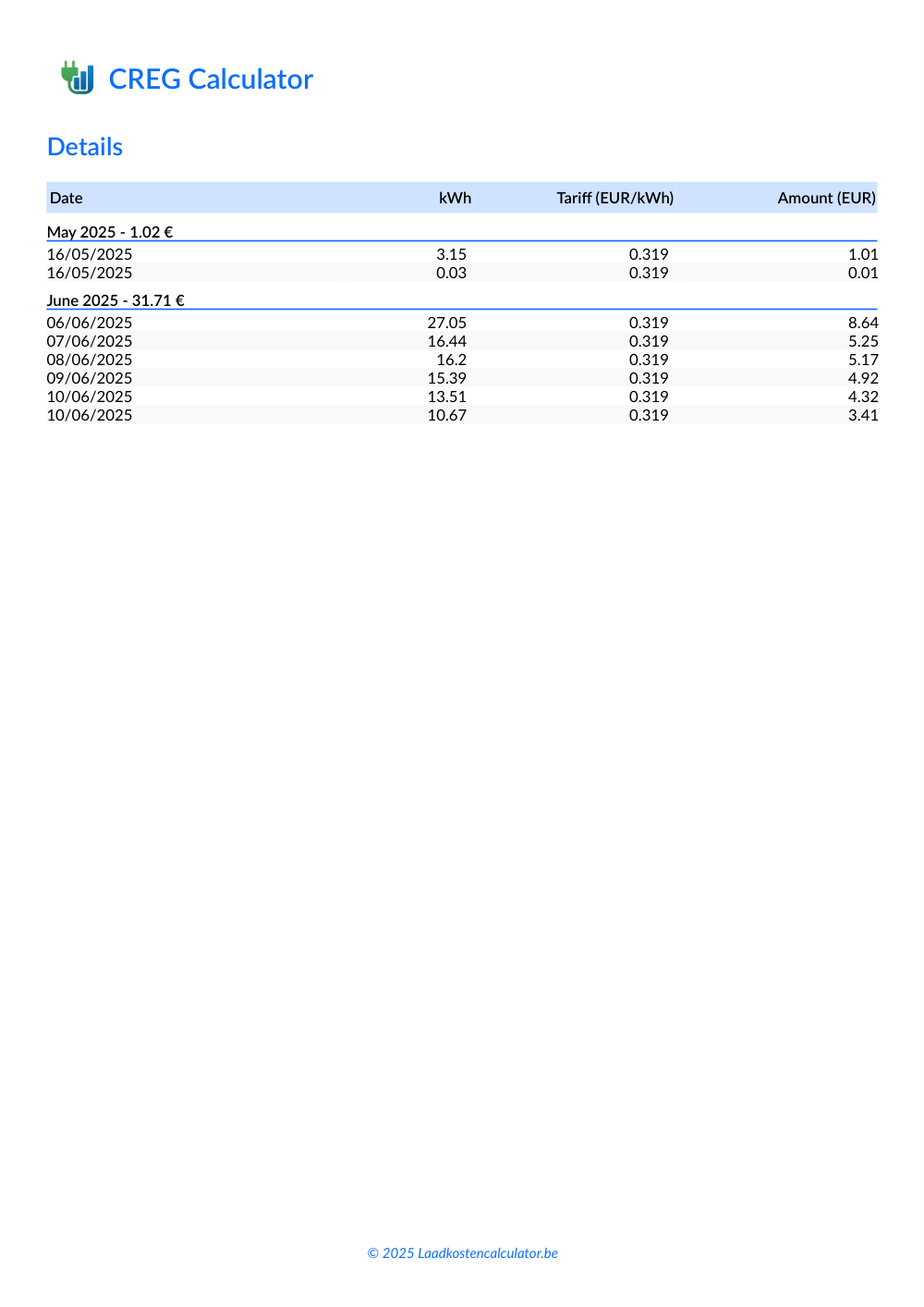
Page 2 — detail per charging session
What's inside this report?
The PDF report is generated automatically from your charging data and profile. You can attach it directly to your expense claim or hand it to your employer or accountant as supporting documentation.
Profile data
Name, address, vehicle and region, shown at the top of the report.
Period
The date of the first and last charging session included in the report.
Total refund
The total amount you can claim back, highlighted in a summary box.
Monthly overview
kWh, average rate and refund per month, in a summary table.
Detail per session
Date, kWh, rate and amount for every session, grouped by month with a subtotal.
How do you create your own report?
- Gather your charging data — export the date and kWh of every session from your charge point app.
- Paste it into the calculator — fill in your profile (name, address, vehicle, region) and click Calculate.
- Download the PDF report — and attach it to your expense claim for your employer or accountant.
Also see the current CREG tariff and our regional tariff comparison.
Curious how to save even more? Check out our guide to saving on charging costs.
Not sure whether to charge at home or in public? Read our home vs. public charging cost comparison.
Go back to the Laadkostencalculator to calculate your own charging reimbursement.
How to claim EV charging costs as a self-employed person in Belgium
What self-employed individuals in Belgium need to know about claiming charging costs.
As a self-employed professional in Belgium you are entitled to a refund for the electricity you use to charge your company car at home. Using the official quarterly CREG rates, this calculator works out the exact amount from your recorded charging sessions. You can export the result to PDF and forward it to your accountant.
Read more ➜Which CREG tariffs apply in my region?
Find out which CREG rate applies to your region: Brussels, Flanders, or Wallonia.
The CREG publishes maximum reimbursement rates per quarter for charging sessions. These rates vary depending on your region: Flanders, Brussels or Wallonia. Our calculator applies the correct rate automatically to ensure accurate results.
Read more ➜Example EV charging cost invoice (PDF)
Download an an PDF invoice based on your load data.
This tool lets you easily export an overview in PDF format, including date, kWh charged, rate and refund per charging session. Enter your name, address and vehicle details to generate a ready-to-use report for your accountant or tax filing.
Read more ➜